Housekeeping for hotels

The hotel's day, in one place.

Clear brings together whoever manages, checks, cleans and repairs. The day is built in a few minutes, ticked off on the phone even where there's no signal, and every step stays on record with its time.

For hotels that do housekeeping with their own team, and for the companies that do it in other people's hotels.

The demo is a test hotel with 24 rooms and two weeks of history: you get in without a password.
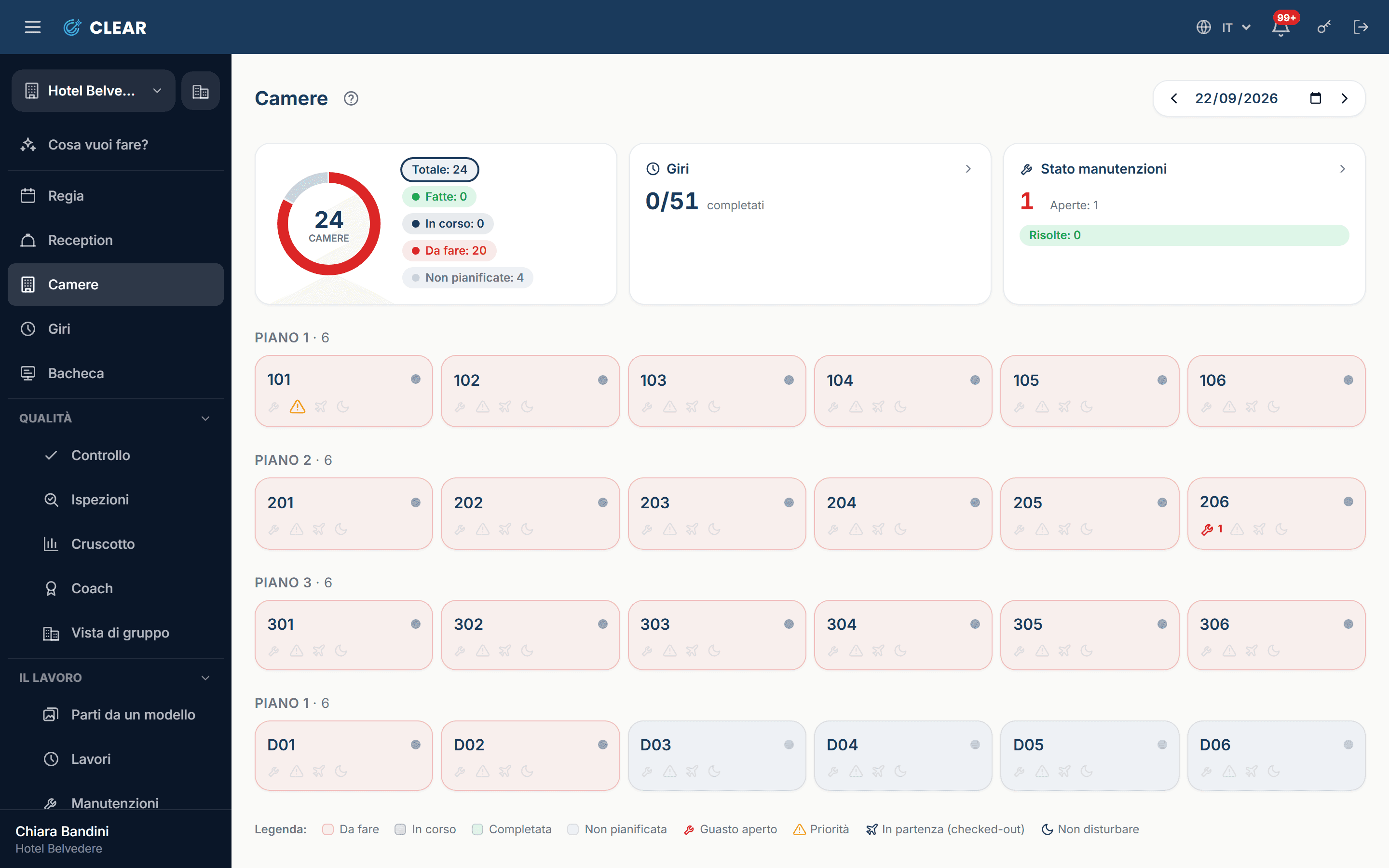
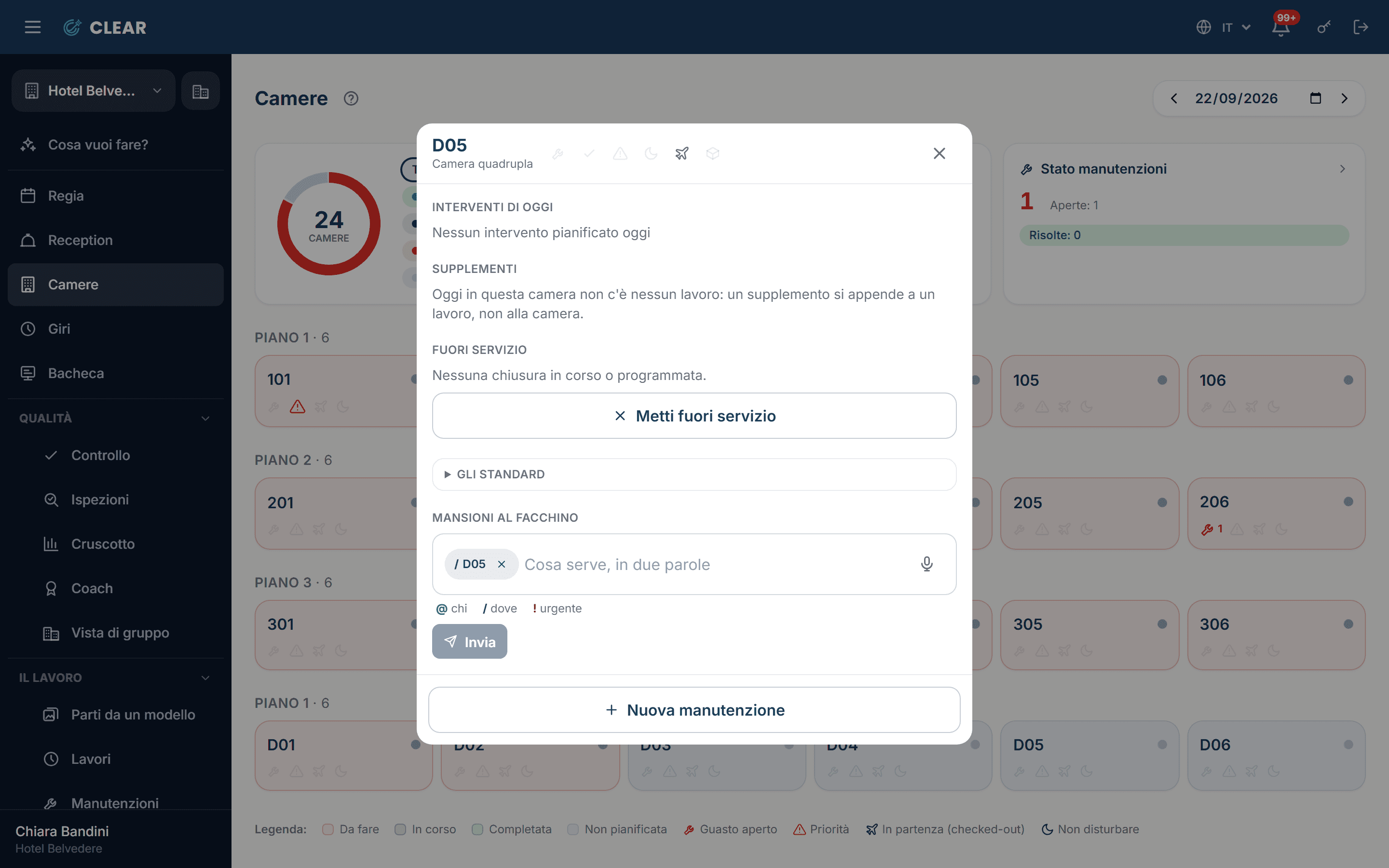
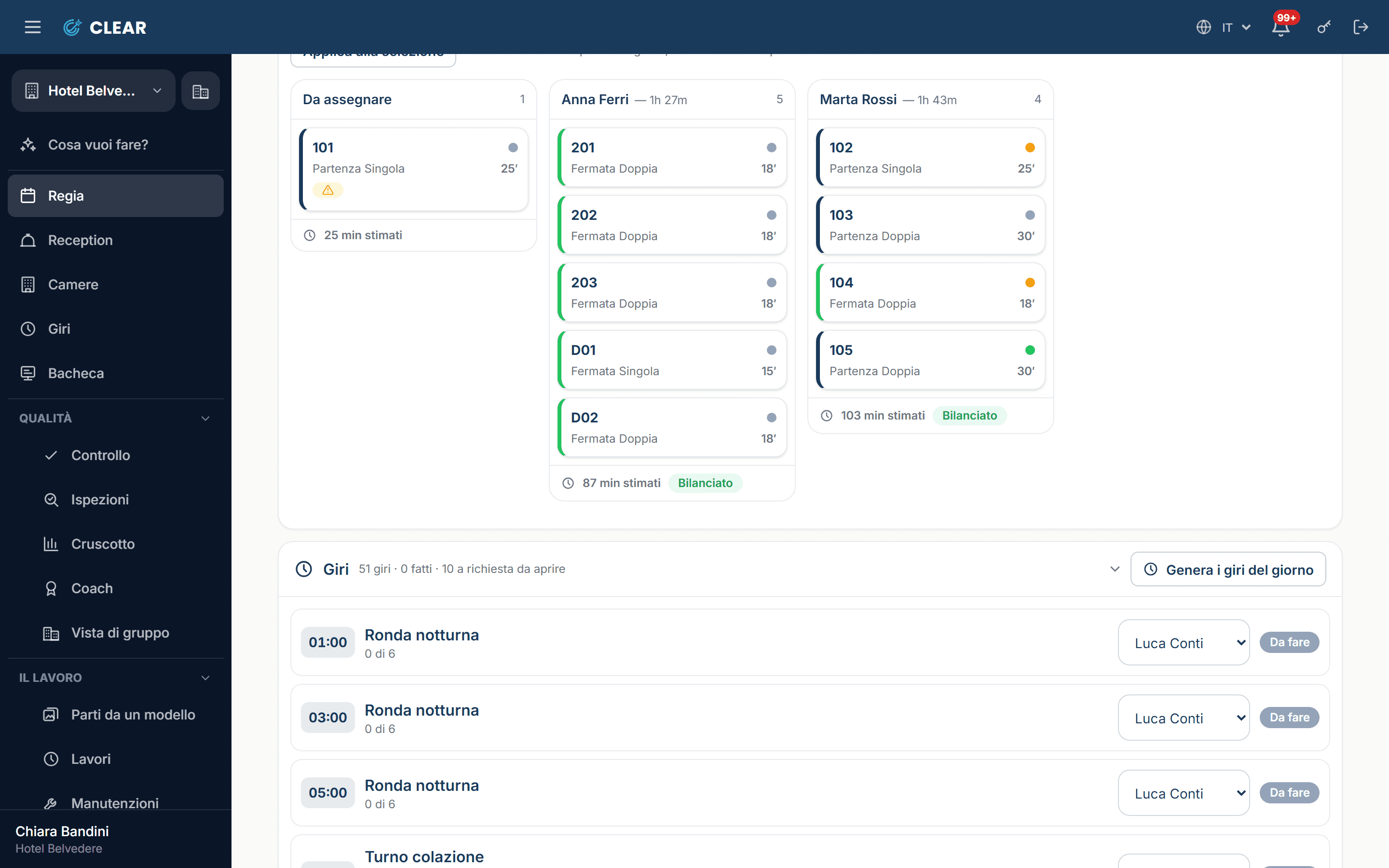
The room board, floor by floor: which rooms are to do, which are ready, which have a fault.
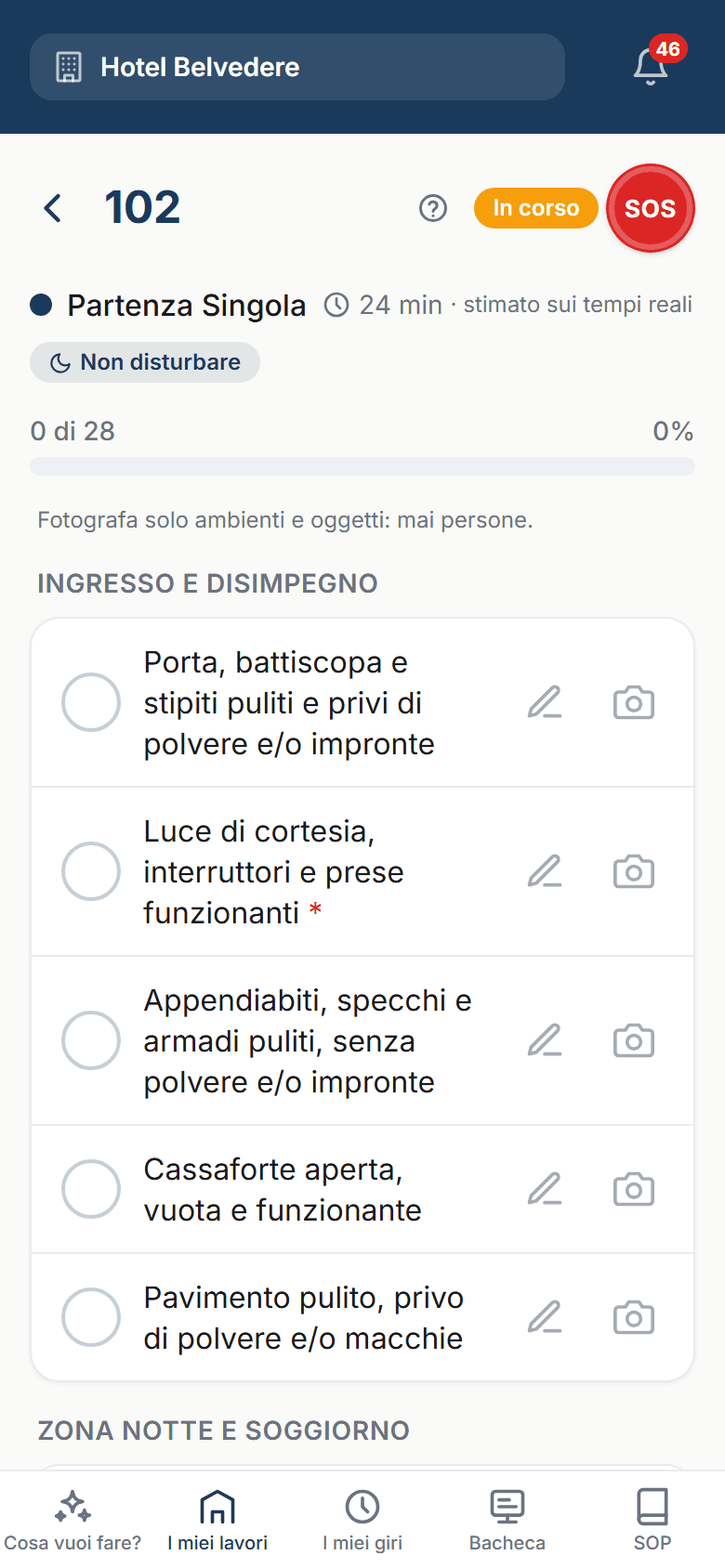
A room opened on the phone, with its checklist to tick off.

The day

The day in four roles

The same hotel, seen by the people who keep it running. Pick a role and you step into the test hotel through their eyes.

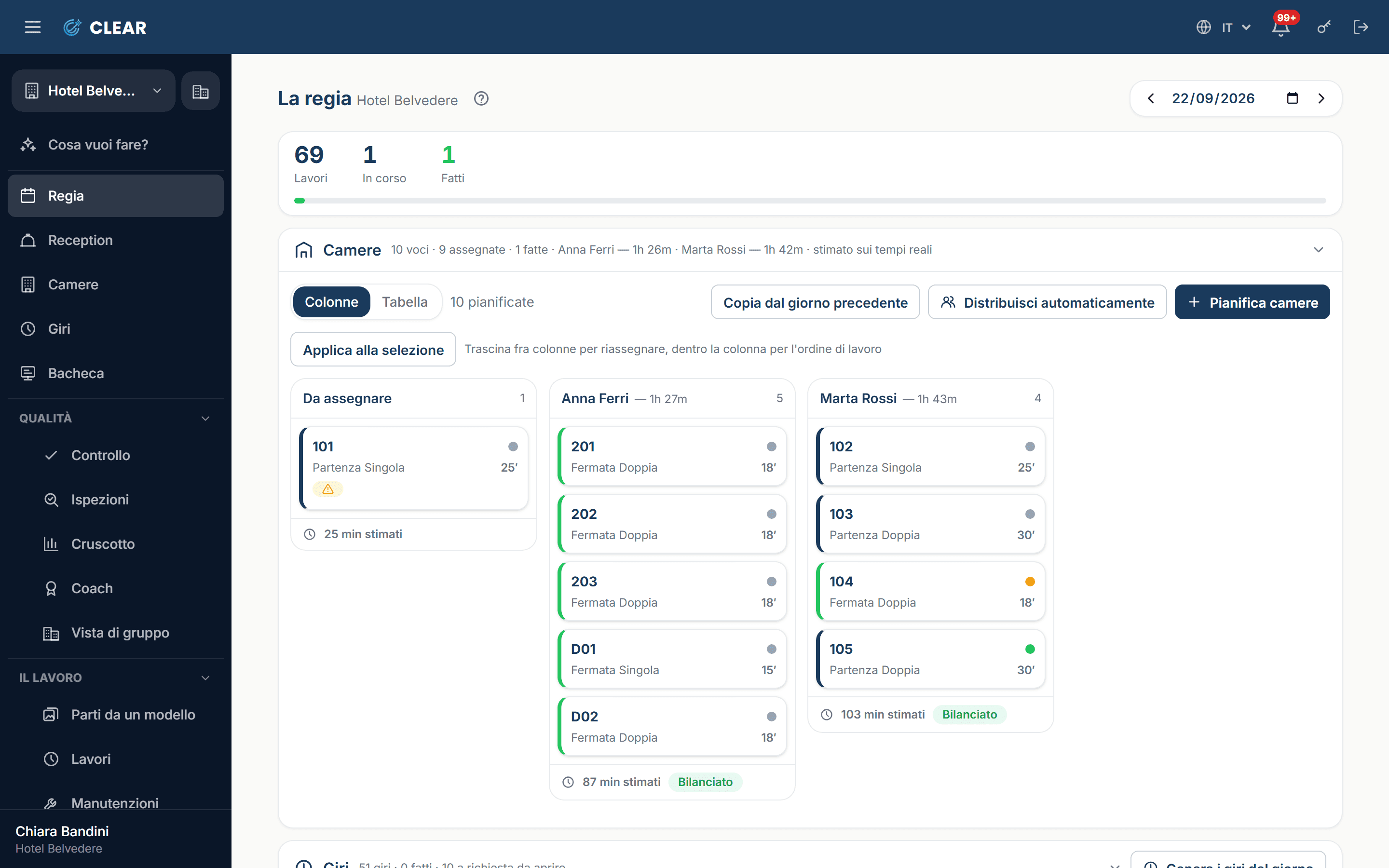
Ops: the day's rooms and who does them.

Management

Builds the day and adjusts it as it happens: who does which rooms, which rounds, which checks. The split weighs real minutes, not the number of rooms.

Enter as the manager
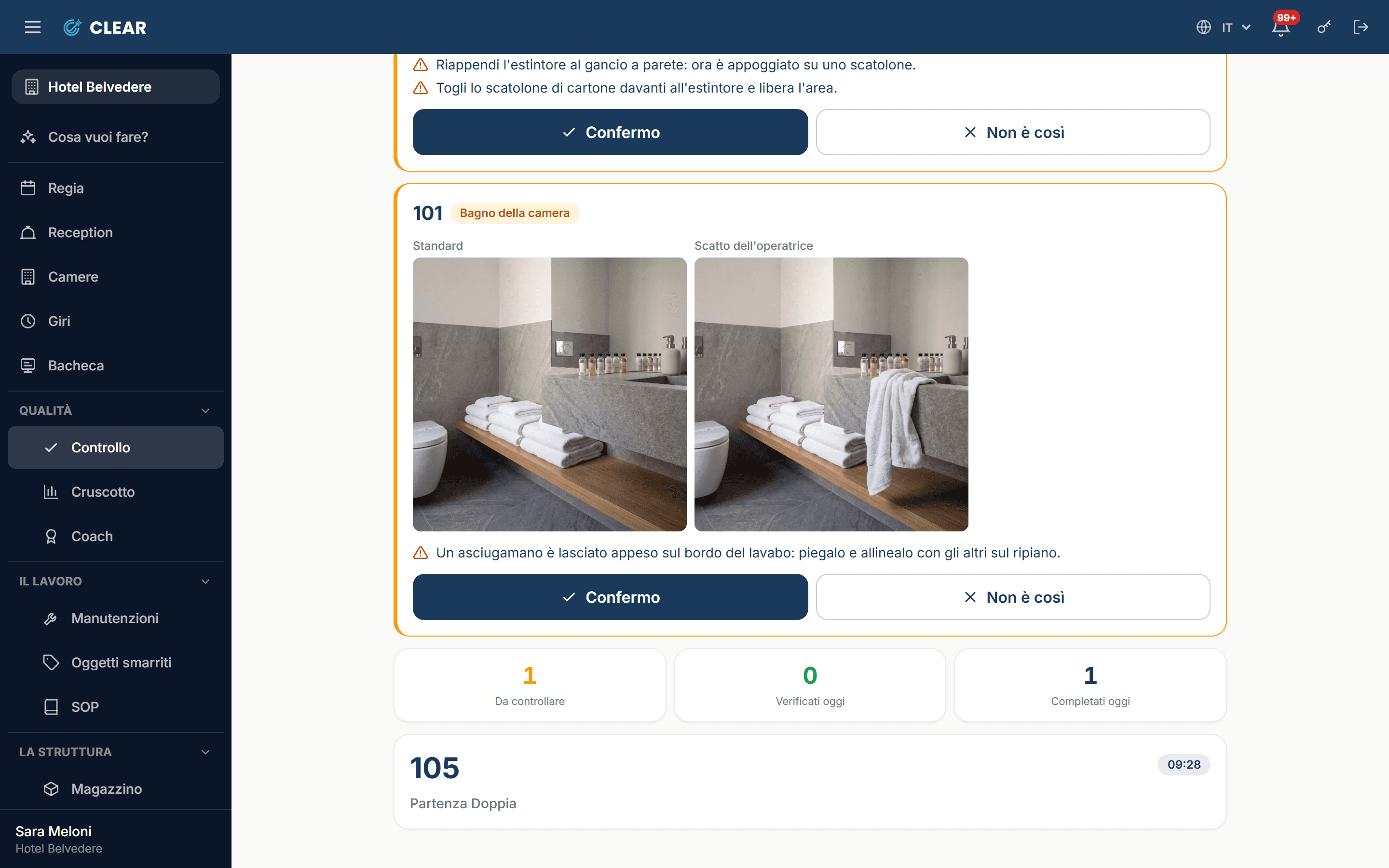
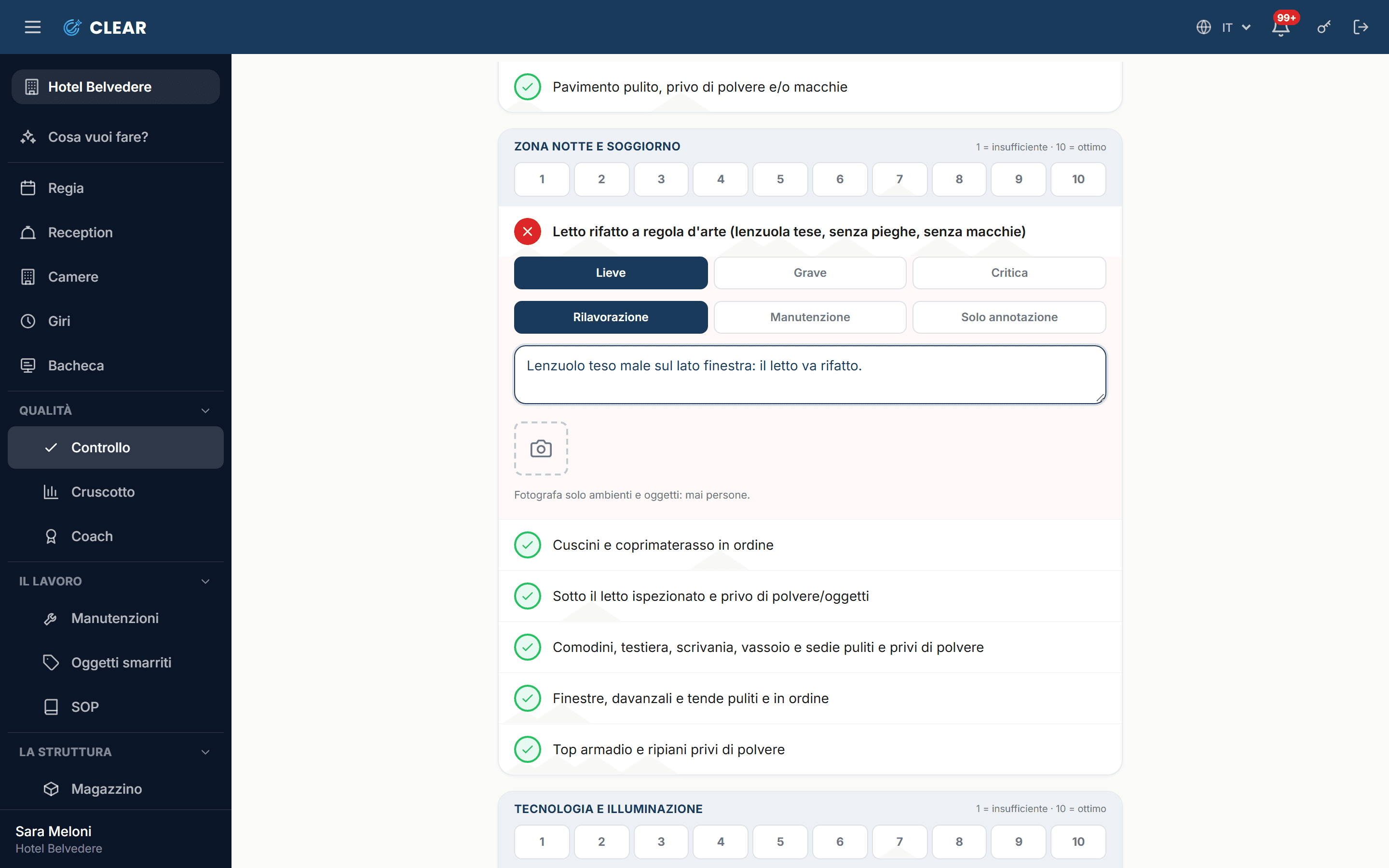
Checks: the finished jobs waiting for a verdict.

Head housekeeper

Checks what has been marked ready, without knowing who did it. If something is off, the room goes back with the item already reopened, or a fault is opened.

Enter as the head housekeeper
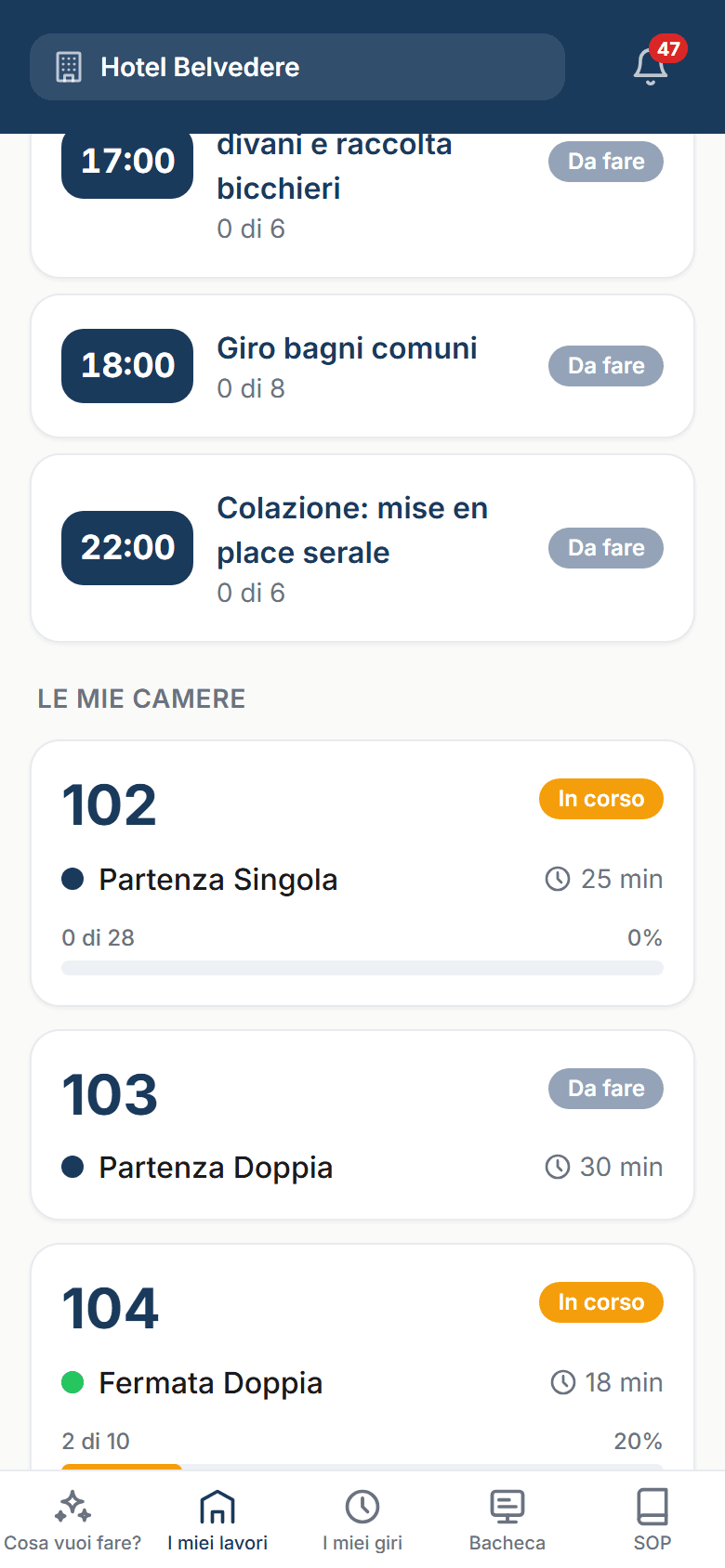
My work: the day's rooms, on the phone.

Room attendant

Has the day on the phone and ticks it off one-handed, even where there's no signal. A photo in one tap, a note, and every step stays on record with its time.

Enter as a room attendant
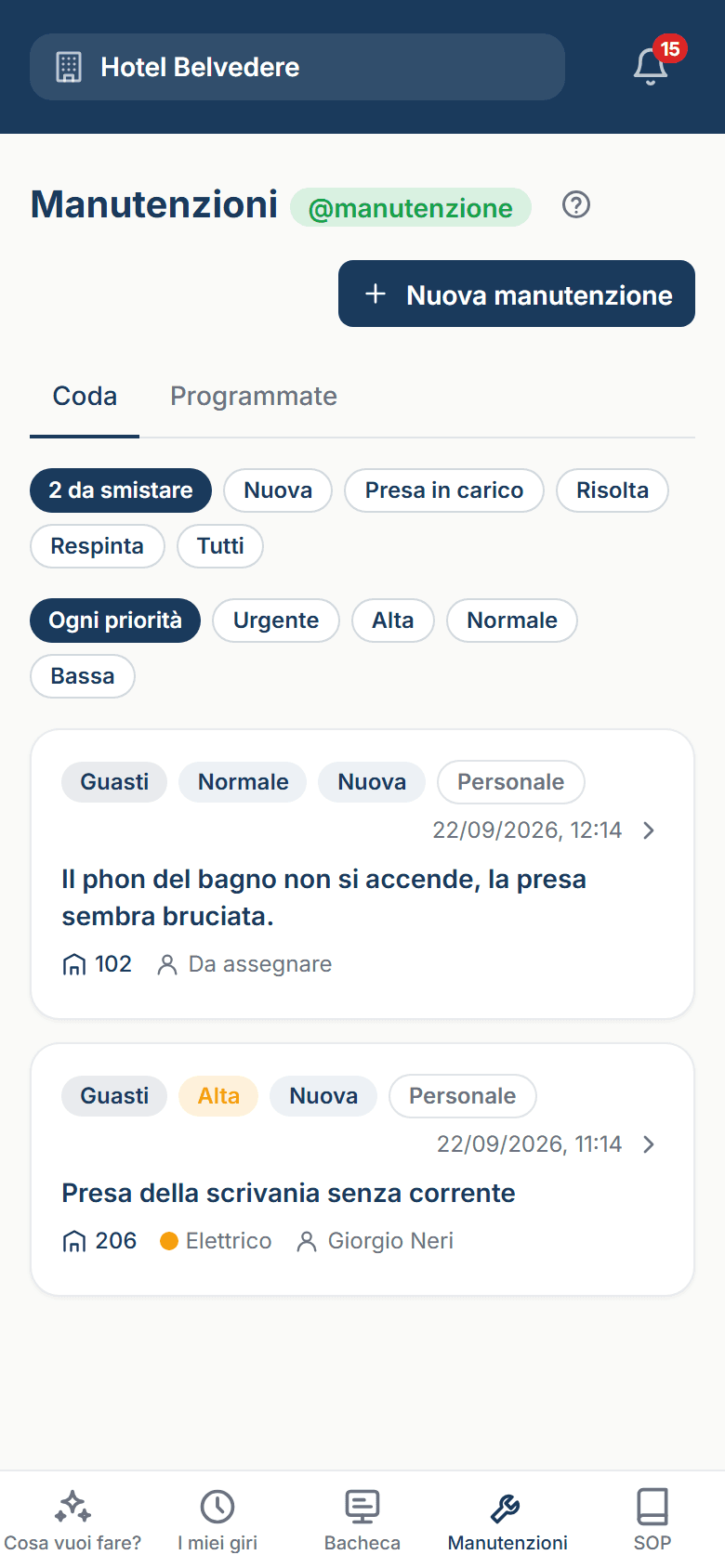
Maintenance on the phone: the faults waiting to be taken on.

Maintenance

Finds the fault at the top of the queue, with the photo and the place. Takes it on and closes it with two lines: how it was fixed stays on record.

Enter as maintenance

Inside

The screens

The ones used every day, taken from the test hotel just as they are.
  • Ops
    OpsThe room nobody has yet: give it a name, and off it goes.
  • Front desk
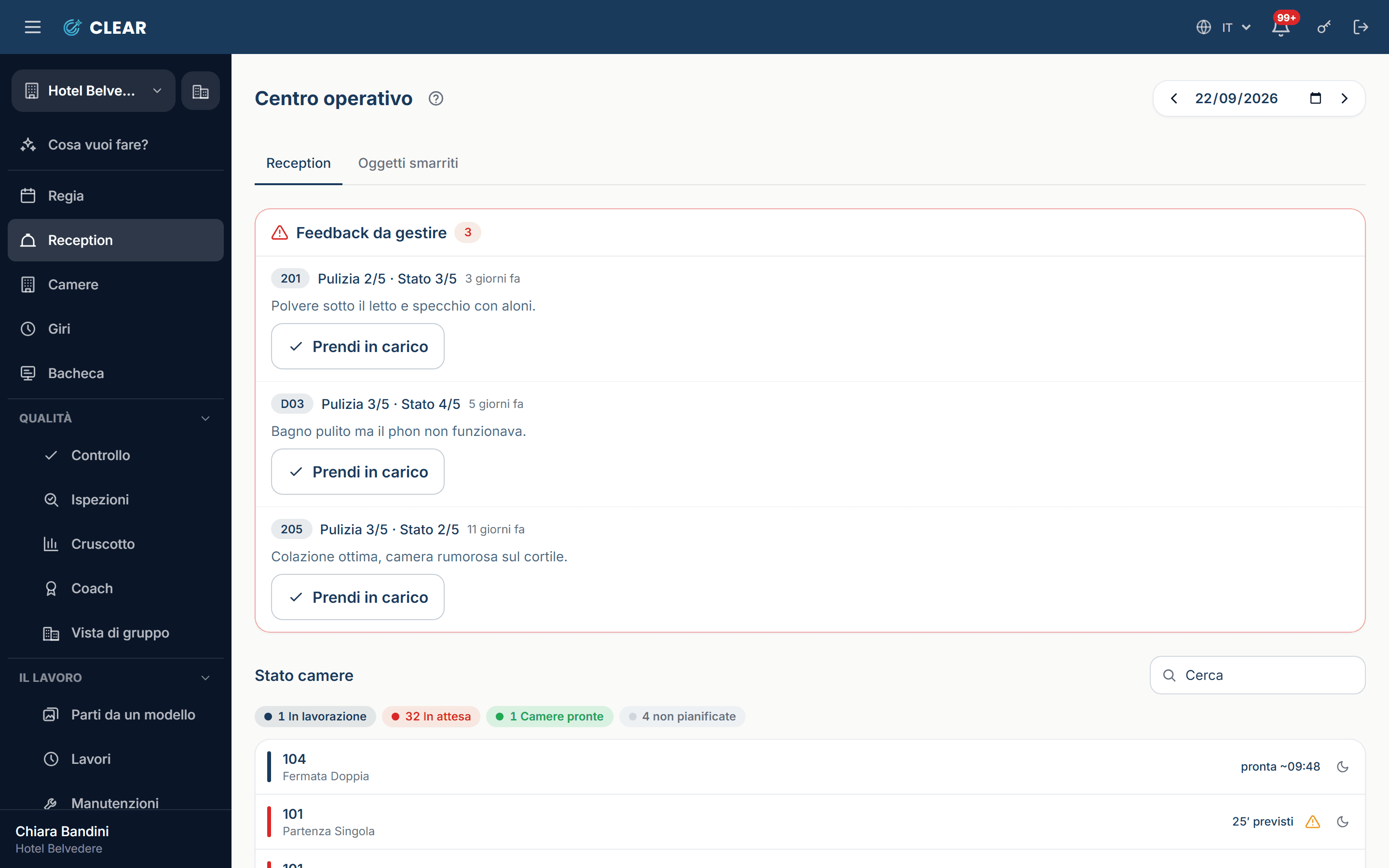
    Front deskThe desk sees the hotel as it is right now: the room that's free, do not disturb, a quick task for the porter.
  • The room card
    The room card“Mark the departure”, and the right job for that room type starts by itself.
  • Checks
    ChecksThe finding and “redo”: the room goes back to the top of the list of whoever did it, with the finding written on it.
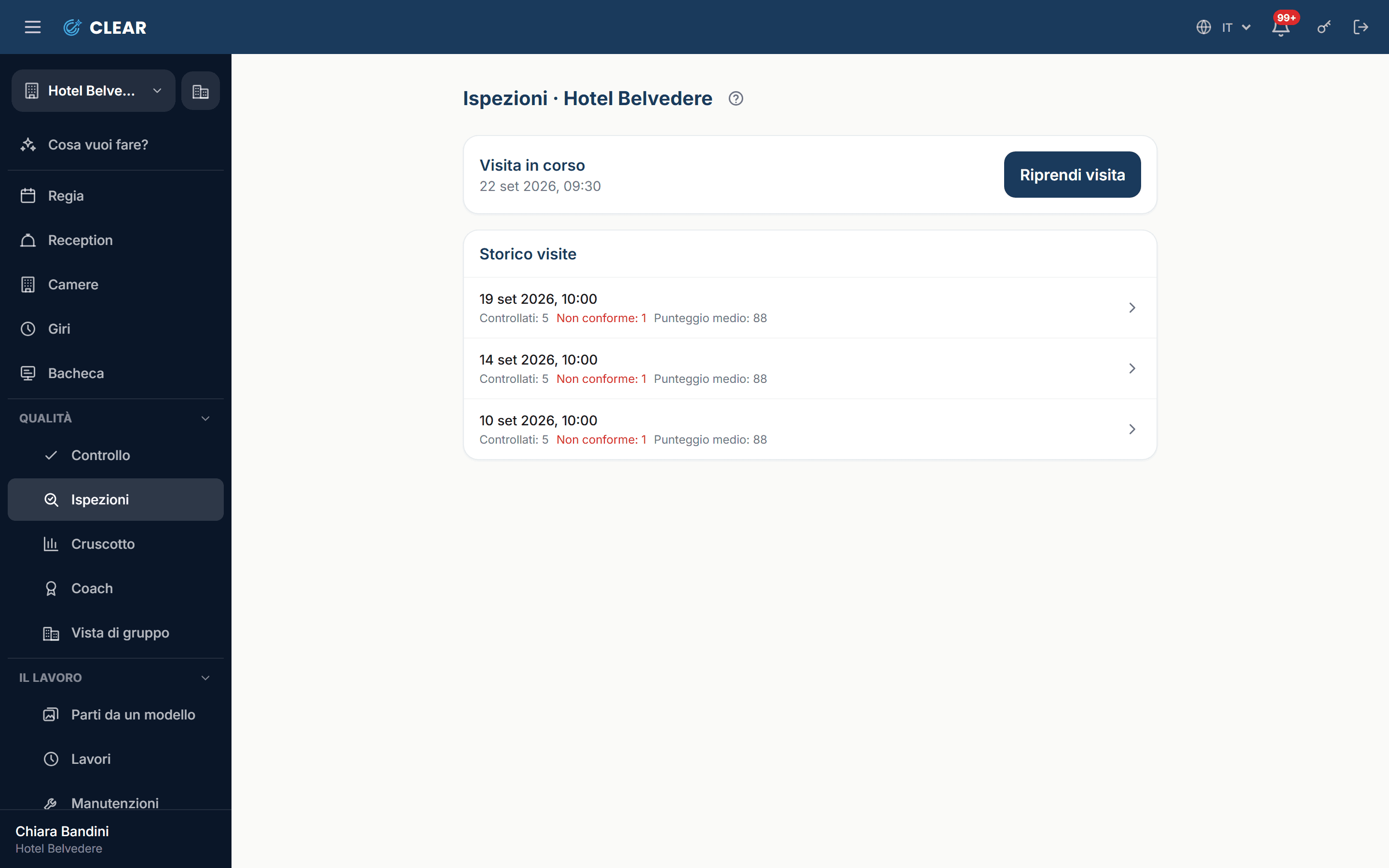
  • Inspections
    InspectionsThe spot-check visit: Clear picks the rooms to look at among those already worked, so nobody can prepare them in advance.
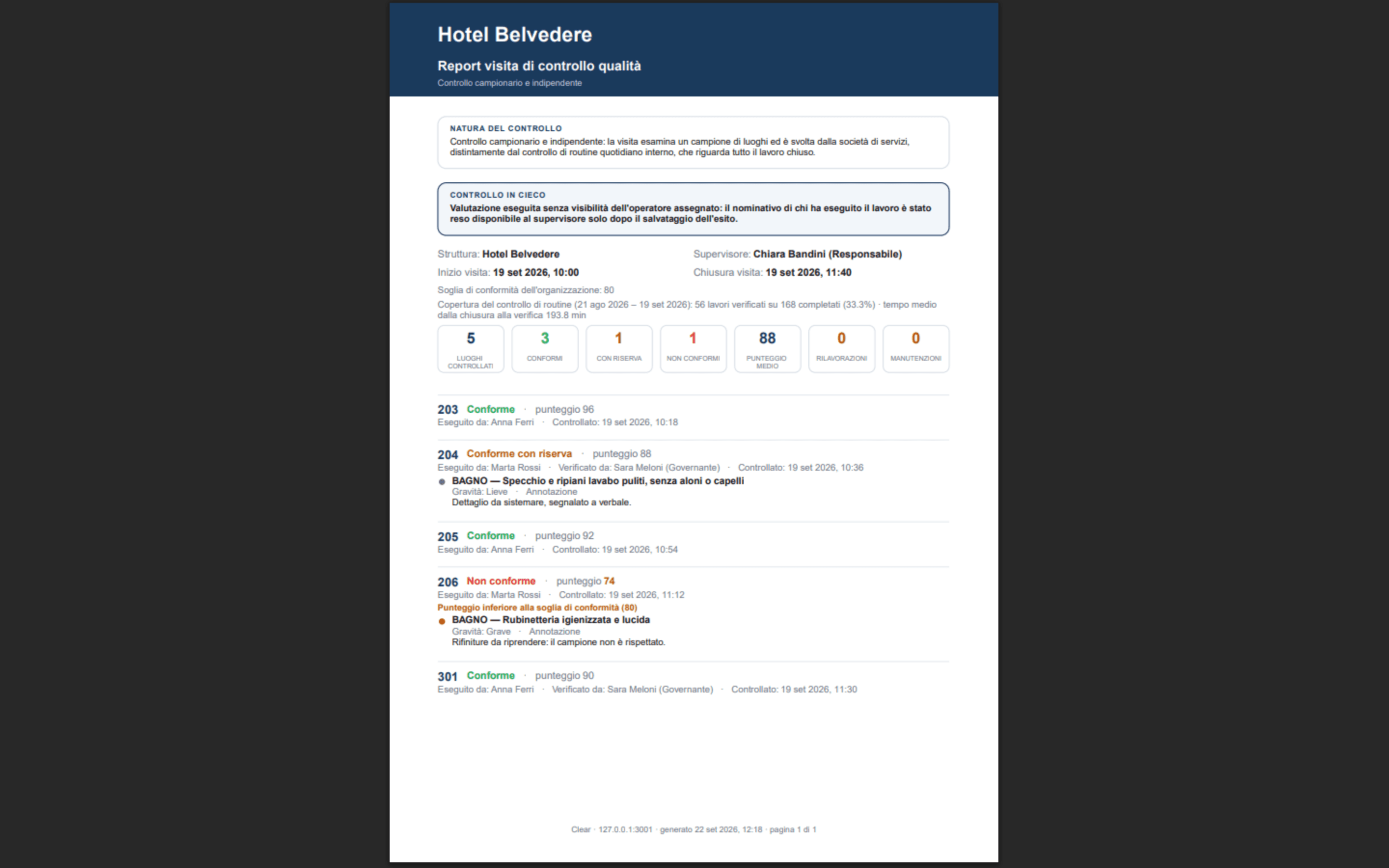
  • The visit report
    The visit reportScores, findings, photos and who looked: it comes out already written, as a PDF, and goes to the client's contacts.
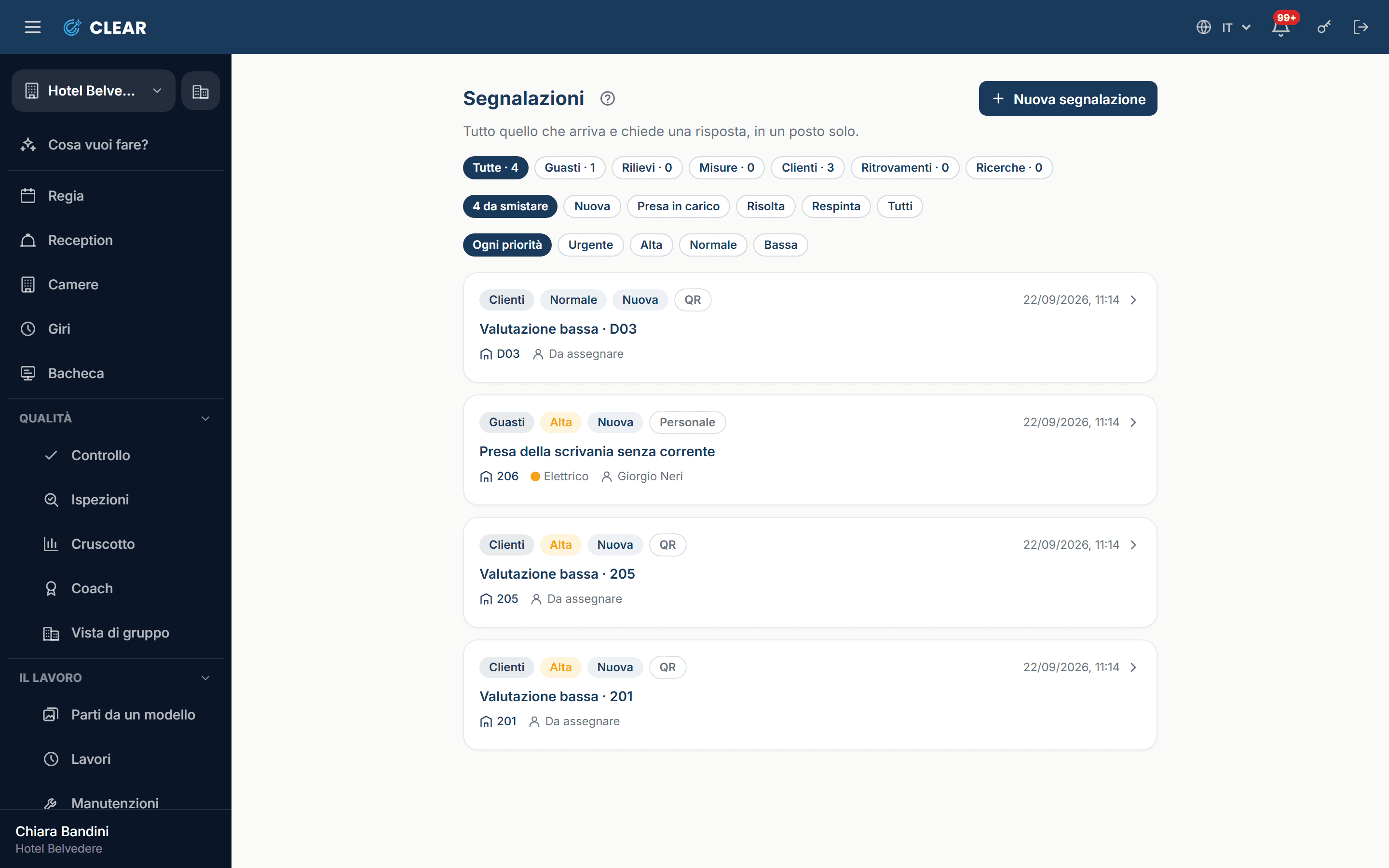
  • Reports
    ReportsFaults, findings, out-of-range readings and guest feedback in a single queue, each one saying where it came from.
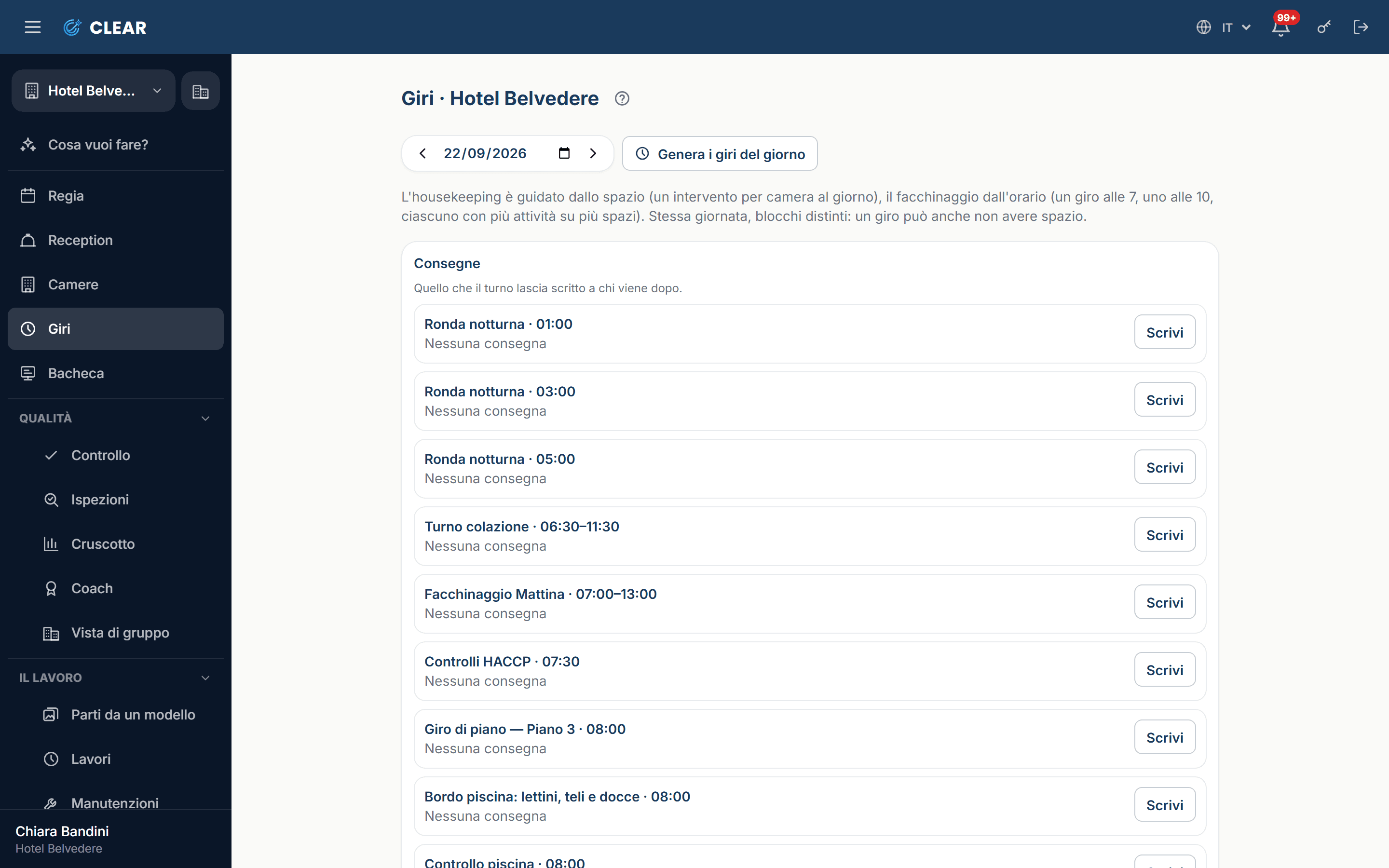
  • Rounds
    RoundsThe round with its stops and times: the pool, the fire extinguishers, the fridges.
  • The rounds log
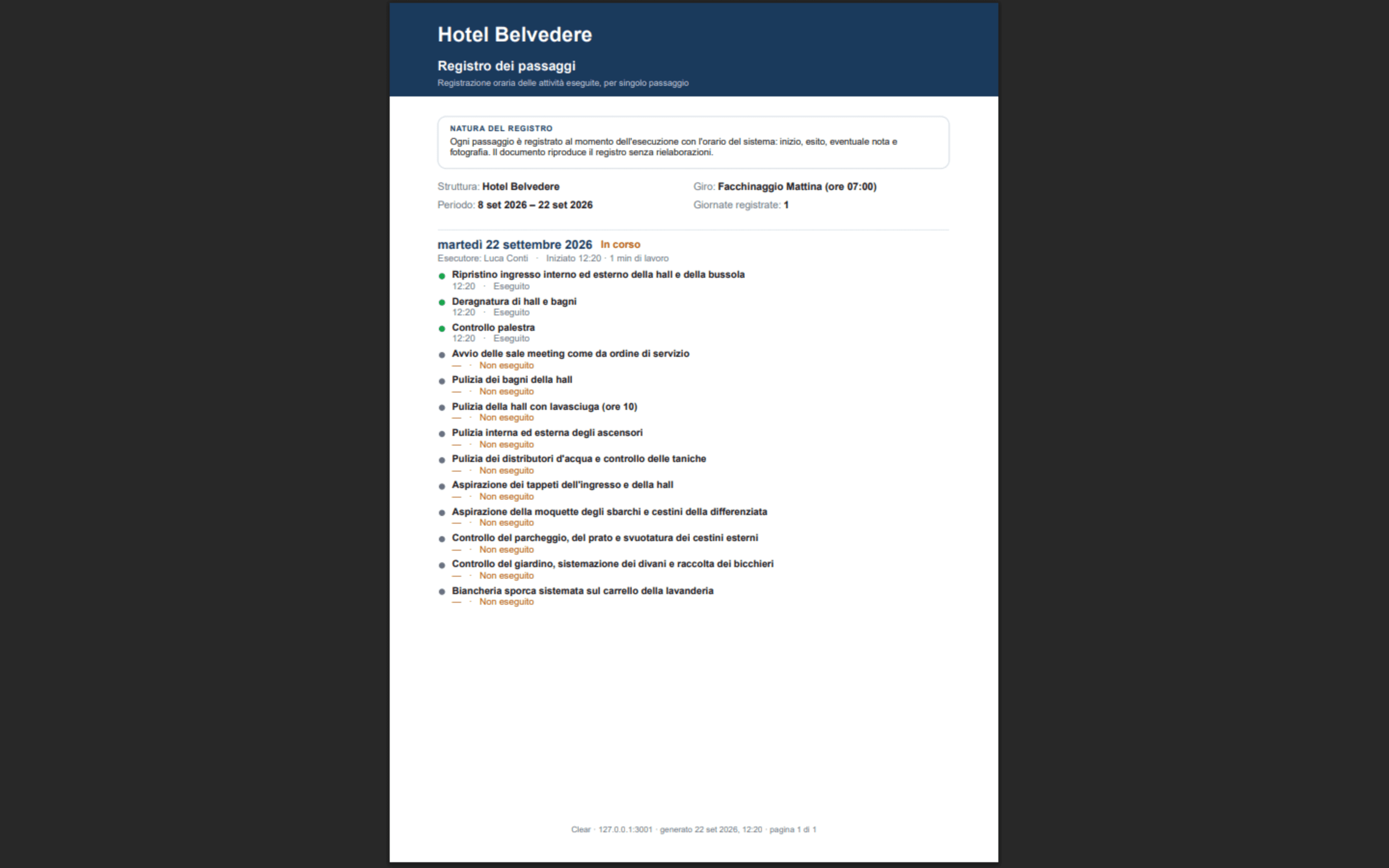
    The rounds logWho passed by, where, at what time, and what they read on the gauge. It exports to PDF and CSV.
  • Inventory
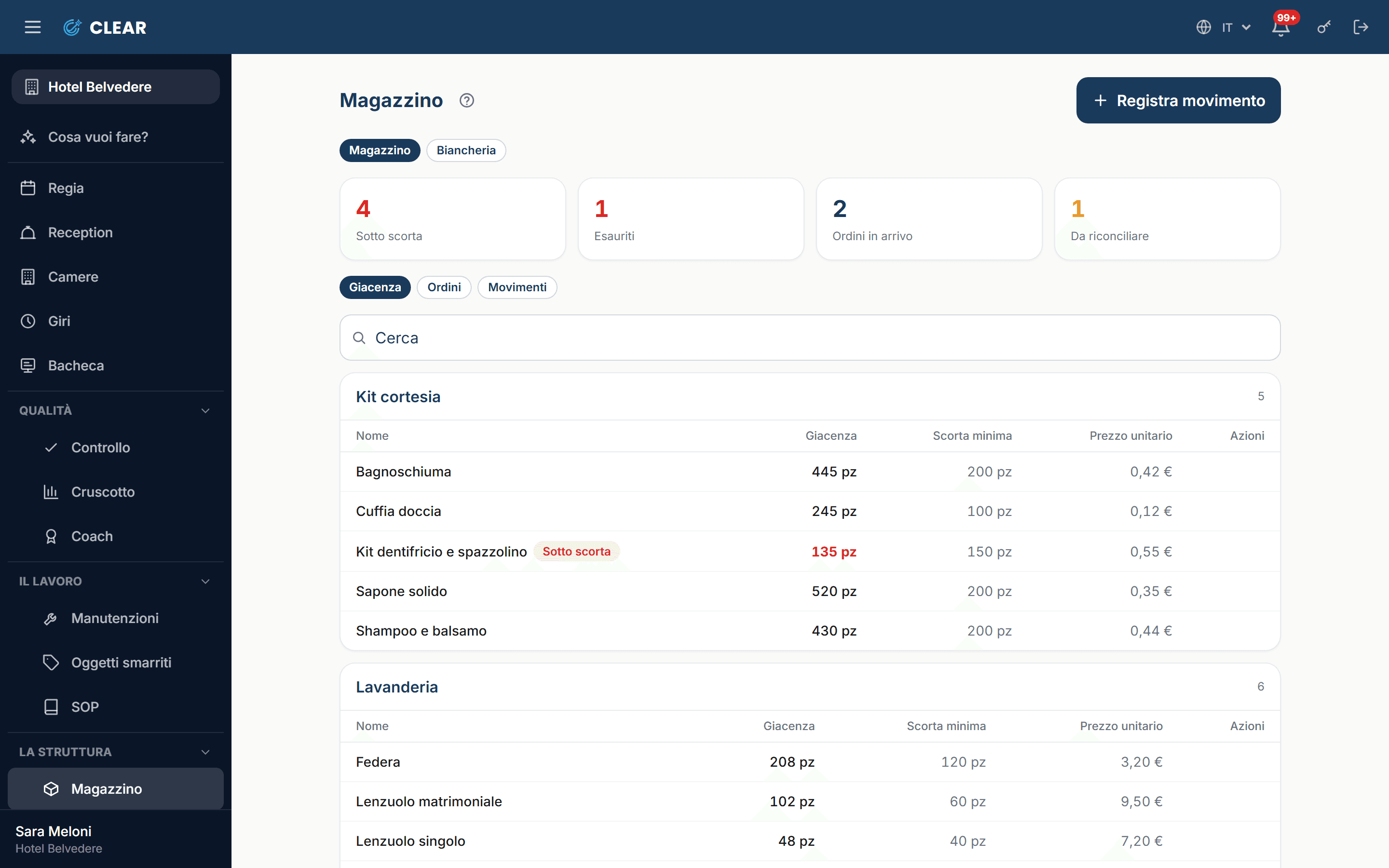
    InventoryConsumables, linen and spare parts: the stock is the sum of the movements, and the day's needs come from the day's plan.
  • Dashboard
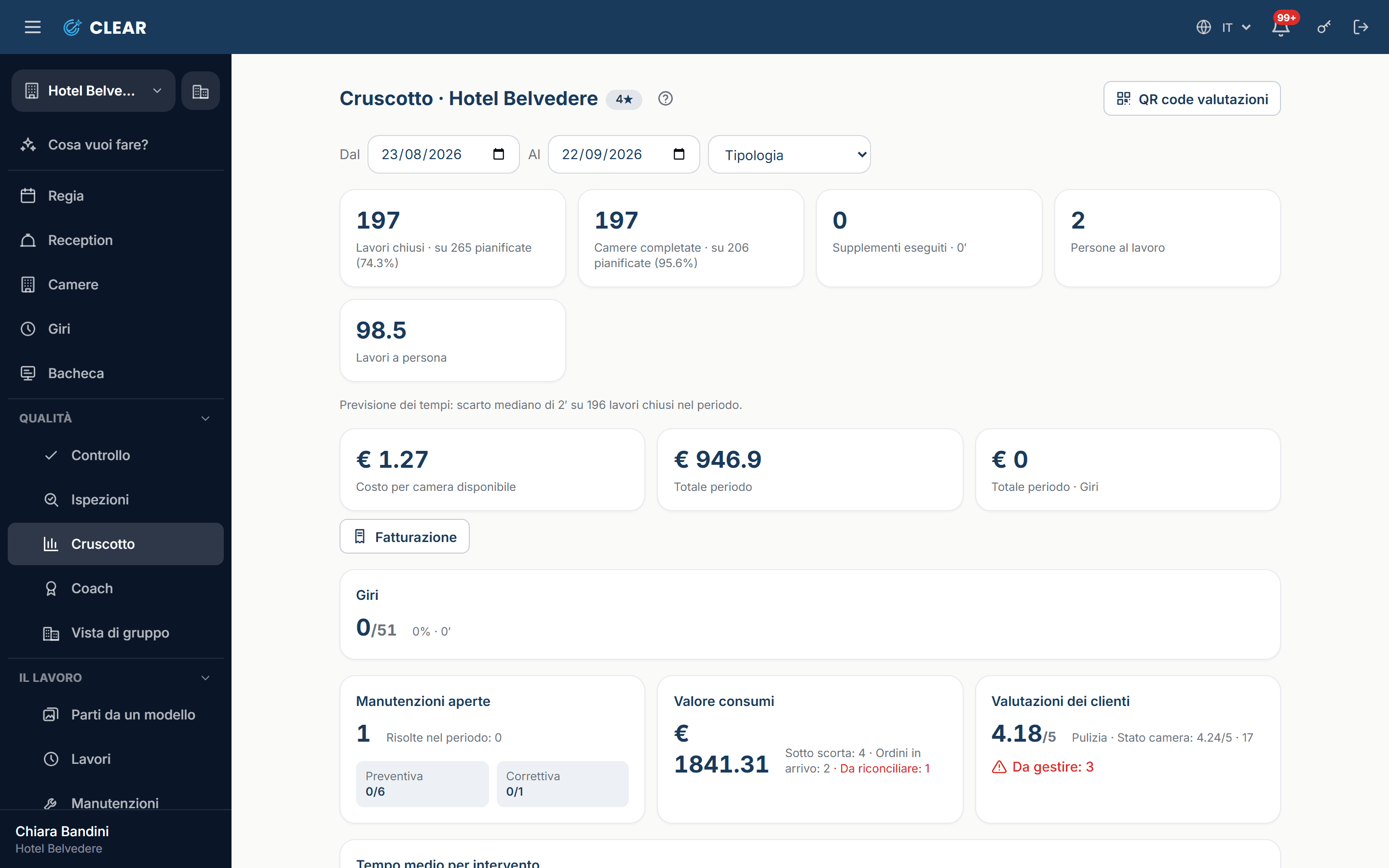
    DashboardWork done, times, quality, faults and consumption for the period, with the error of the time forecast in plain sight.
  • Billing
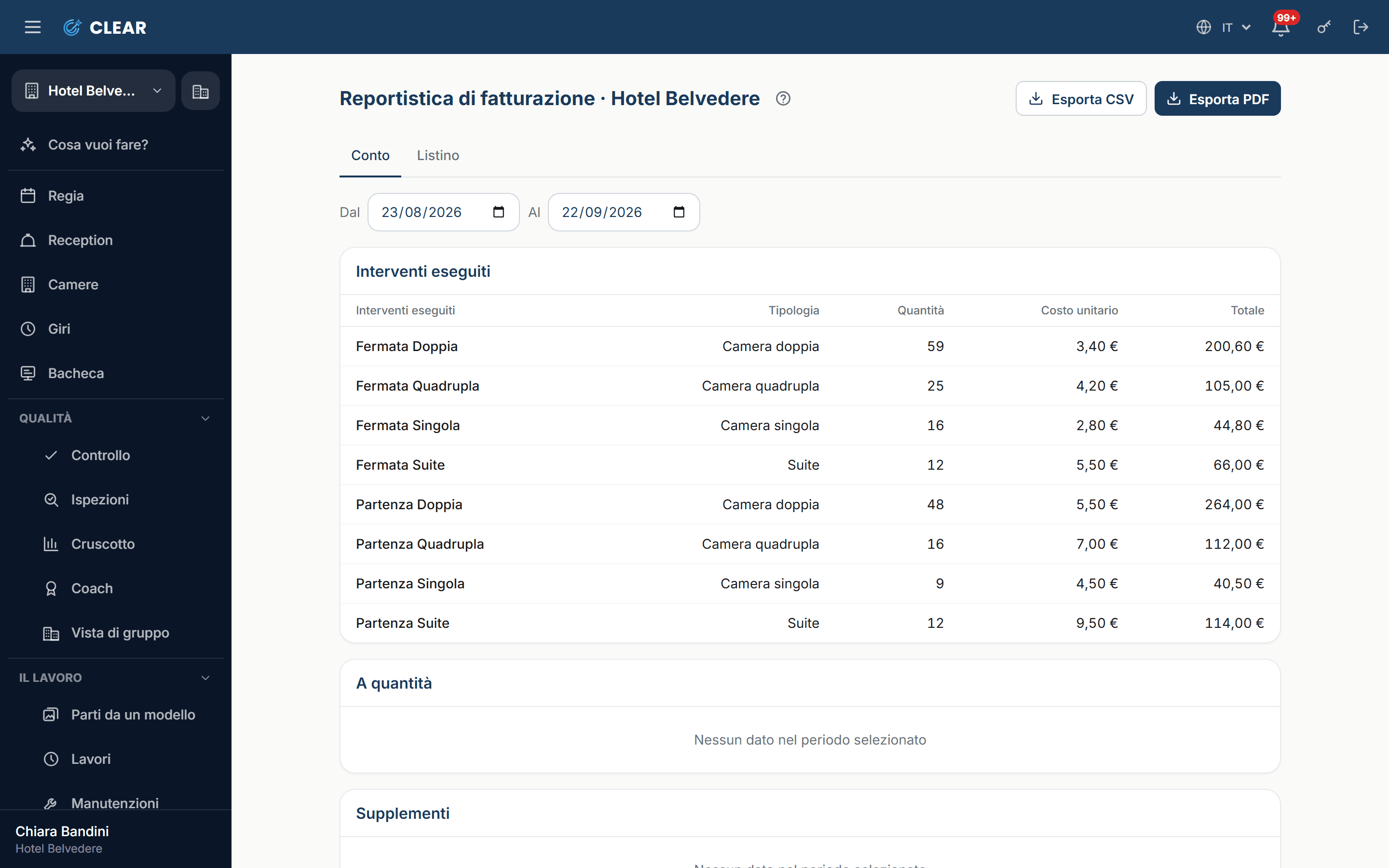
    BillingEvery job carries how it is counted: at month end the bill is already written, line by line, for each client.

Quality

Photo check

No more “it wasn't clean”, but “this is how it should look”: the photo of how it should be sits next to the photo of how it is, and that settles it.

  1. 1

    The standard, with the sample

    On a step of a job you add the photo of how it should look and write the details you won't compromise on: “bed made tight”, “bedside tables clear”, “curtains open”. You write them once, and they apply to every room of that type.
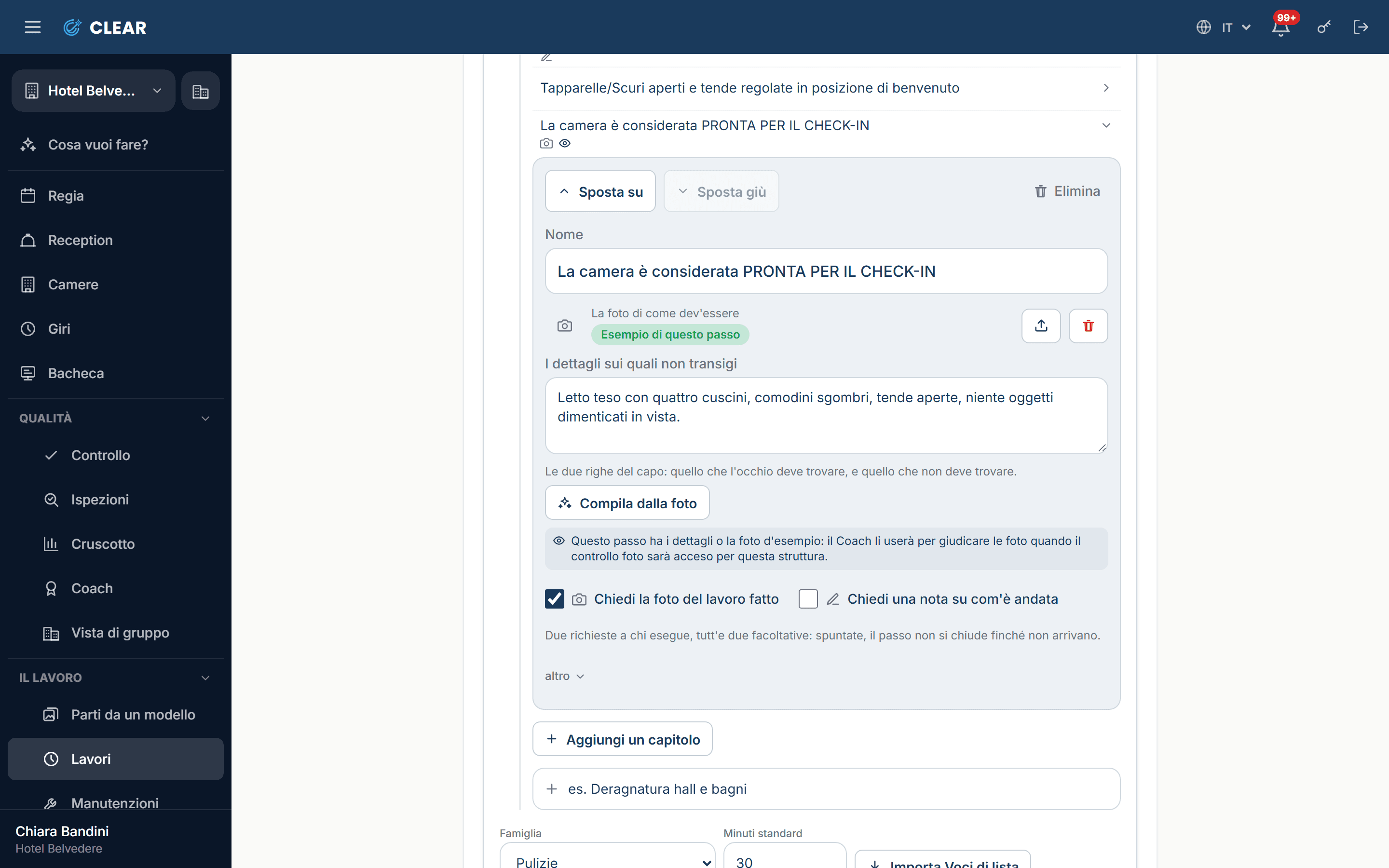
    The job step with the photo of how it should look and the details that matter.
  2. 2

    The shot

    Whoever cleans takes the photo on the phone while still in the room, and it is compared with the sample. Whoever checks finds in the queue only the rooms that don't match, with the two shots side by side, and with one tap says “Confirm” or “Not right”.
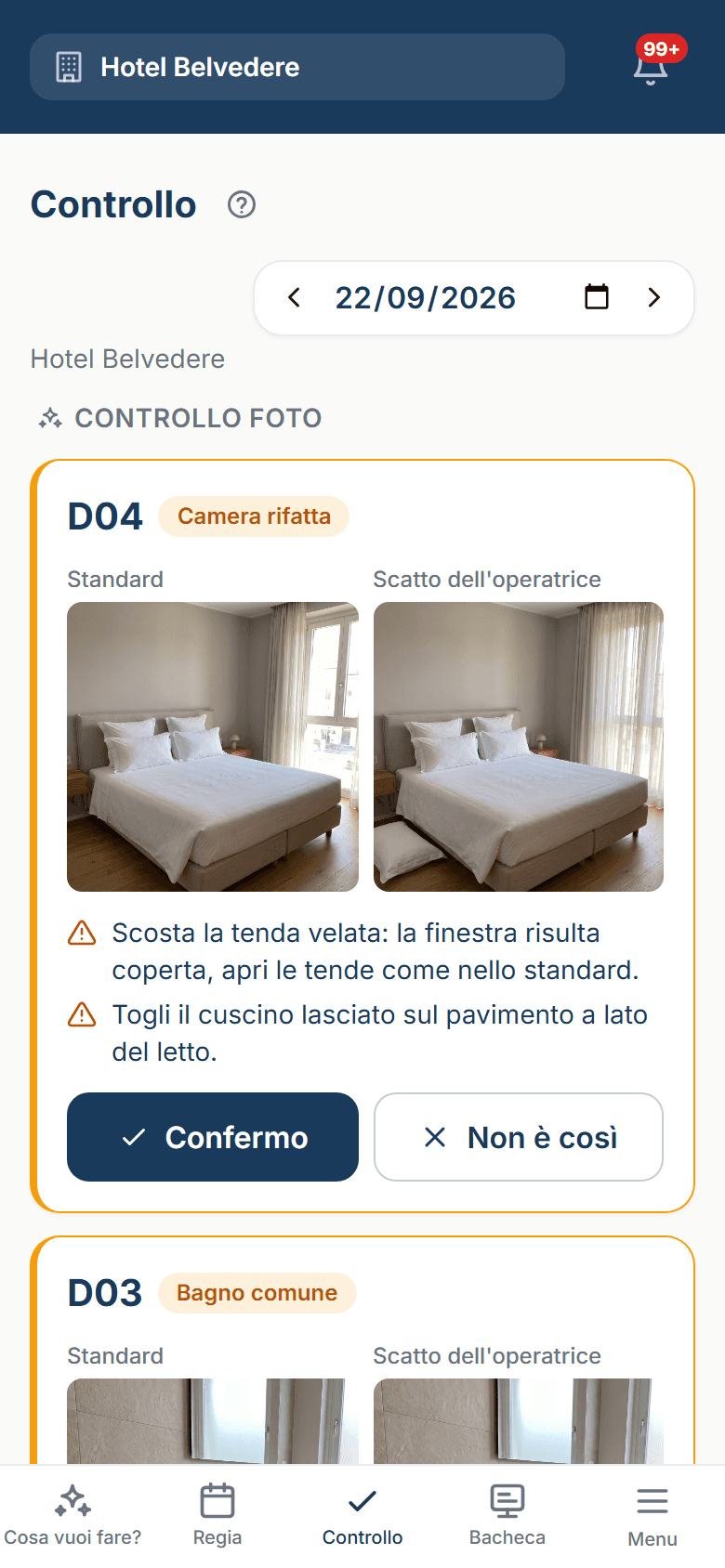
    The sample and the shot side by side, with “Confirm” and “Not right”.
  3. 3

    The outcome

    A score and the point-by-point: what matches, what doesn't, and the line to fix. It advises and doesn't block: the room closes anyway, and the last word stays with a person.
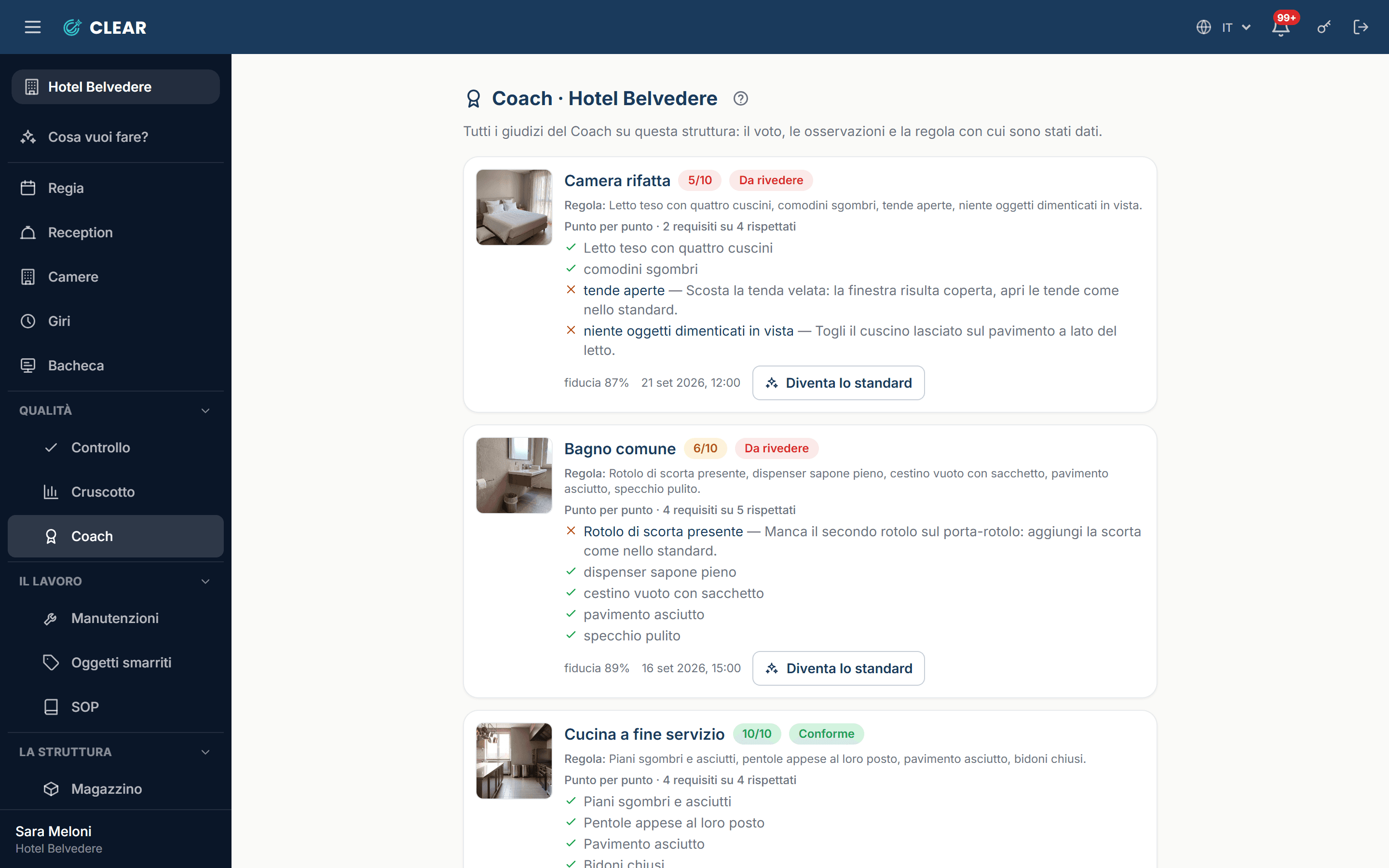
    The verdict archive: the score and the point-by-point for each shot.

Photo check is switched on property by property. If it stays off, everything else works the same.

The core

What's always there

Beneath the modules there's a core that doesn't switch on or off: it's there from day one, in every property.
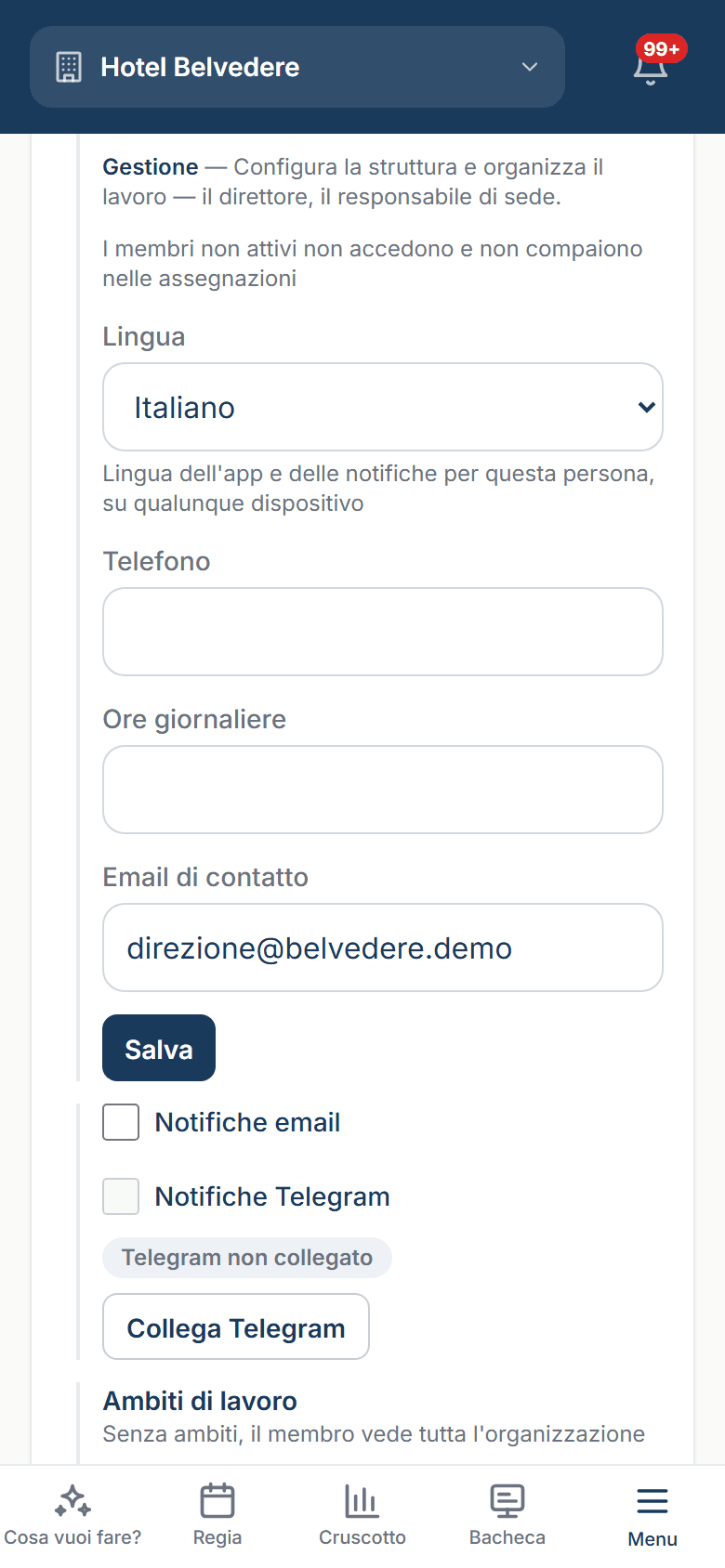
  • Three languages on equal footingItalian, English and Spanish, chosen person by person: teams don't all speak the same one.
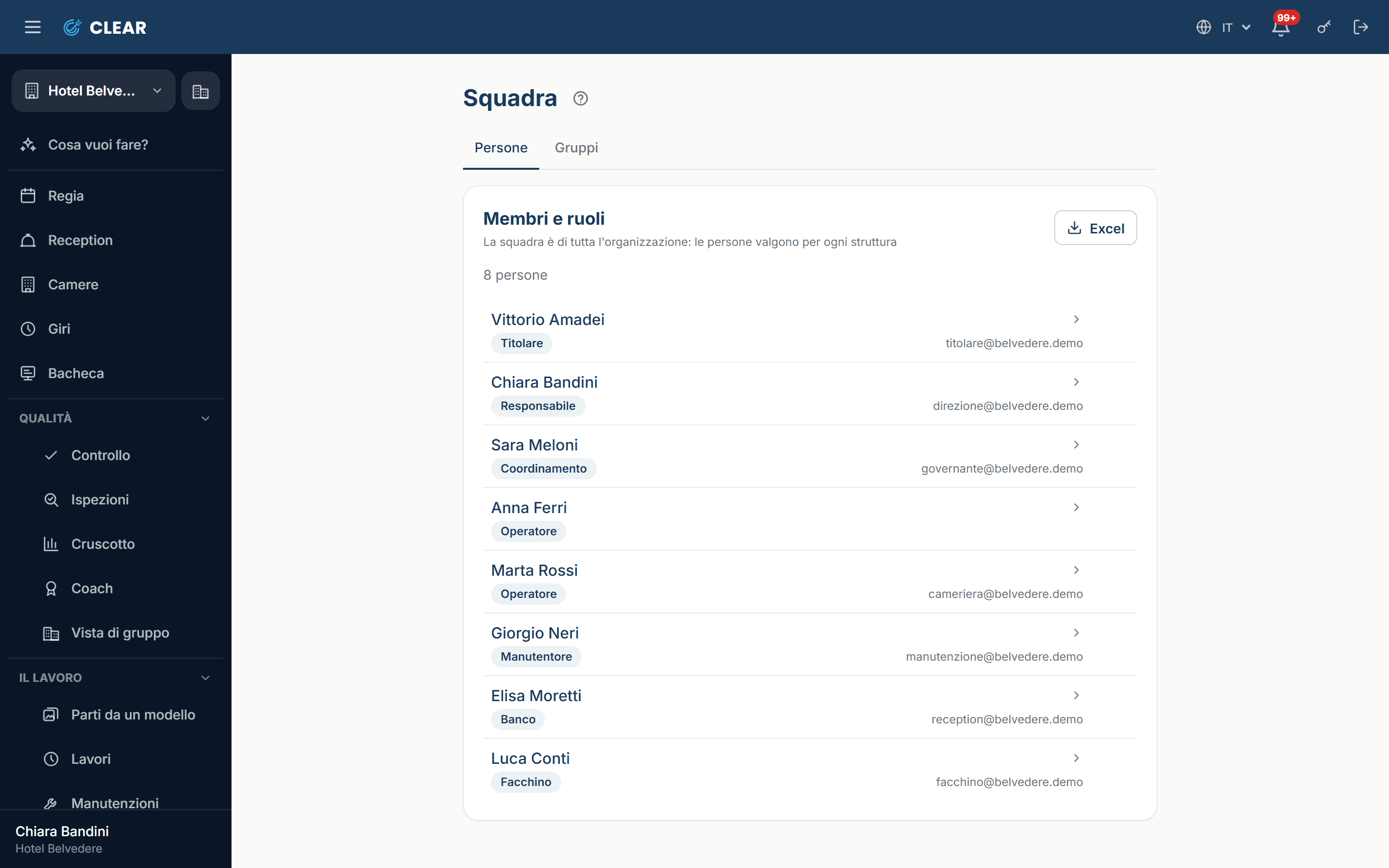
  • Permissions by roleFive levels on the person, plus group abilities: everyone sees what they need, and nobody has to learn to ignore half the screen.
  • AlertsThey arrive on Telegram and by email, with the button to take the job on right inside the message.
  • Even with no signalIt installs on the phone, and staff keep ticking off in the corridor: what they do is sent by itself as soon as the network is back.
  • Several propertiesOne company, several hotels: the staff is shared, and the second hotel starts from a copy of the first.
  • Start from a templateThe gallery asks what kind of hotel you are and sets up jobs, checklists and routines in one click; what you already have in an Excel sheet comes in as it is, with a preview before anything is written.
The team: everyone's level.
Choosing the language from your own profile menu.

Modules

On top of the core, the modules: they switch on one property at a time, and the menu grows by what you need. Switching one off hides its screens and deletes nothing.

The work

  • SchedulesThe “Every…” rhythm: work that appears on its own, every morning or once a year.
  • RoundsThe round with its stops and the passage log: who came by, and at what time.

The property

  • The rooms boardThe board, room by room and floor by floor: what is dirty, what is ready, what is broken. It is the base for PMS, do not disturb and the front desk.
  • PMSDepartures and stays from the property system: a room that frees up opens its own job. Turndown lives in here.
  • Do not disturbThe tag on the door, with the threshold past which somebody has to go and check.
  • Front deskThe desk board: rooms live, rounds, porters, what is happening right now.
  • Planned maintenanceEquipment, due dates and preventive work. Reporting a fault stays everybody's, and is not for sale.
  • StockStock, orders and levels: what is there, what is missing, what has arrived.
  • QR on the doorsThe code on the door: point the phone and the right room opens, without hunting a list.

Quality

  • Work checkFinished jobs go through the supervisor before being called ready.
  • InspectionsSpot visits, findings and the report that comes out of them.
  • DashboardThe numbers, quality and the Coach's archive of verdicts. With more properties, the comparison between them.
  • ComplianceThe packages of mandatory checks — fire, HACCP, pool — and the written procedures.
  • Lone worker SOSThe lone worker's red button: hold it down and the call for help goes out.

Money

  • Billing and price listPrices, actuals and the bill for the work done: what it cost, and who is charged.

Customers

  • CustomersQR ratings in the room and the recovery of whoever left unhappy.
  • Lost and foundWhat stays behind in the room: register, photo and handback.

Try it with your own hands.

There's a test hotel already set up: 24 rooms, two weeks of history, and you get in without a password. Every morning it goes back to how it was.

It's shared: if you find something different from what you see here, it's because someone has just been working in it.

Try the demo

Want to talk it over?

Write to us: a person will answer.

claudiorubbiani@gmail.com